
Photo Recovery, All Restore
Techverse LTDTools
3.6138.00 Reviews
- Version
- 1.4.2
- Installs
- 5.00M
- Age Rating
- Everyone
Screenshots


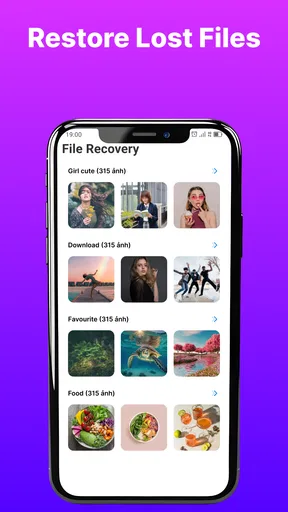
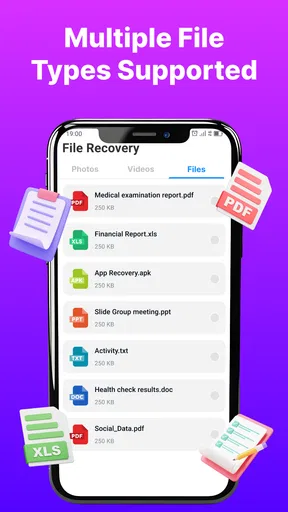
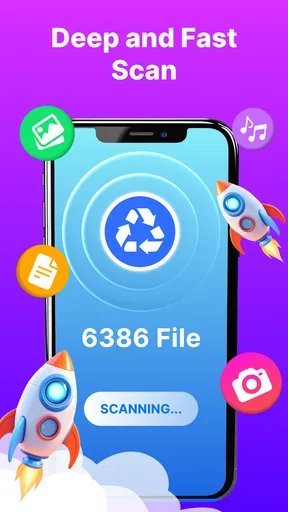
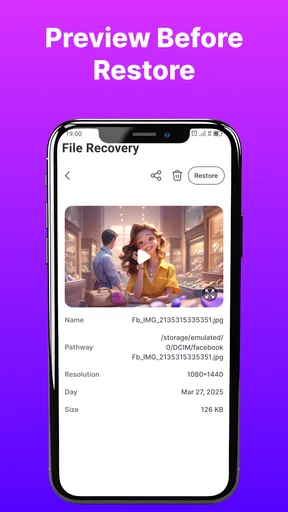
Our Review of Photo Recovery, All Restore
 Analysis by Appyee
I tend to think about recovery apps only after something has gone wrong, which is exactly when I want clear steps rather than a maze of technical options. Photo Recovery, All Restore is aimed at that anxious moment: it gives you a way to look for deleted photos, videos, and documents from a phone. I would treat it as a recovery attempt, not a guarantee. Whether a file can be brought back depends on what remains available on the device, so acting promptly and avoiding unnecessary changes can matter more than expecting any app to perform a miracle.
What the free and paid options mean
The app is free to install, which makes it reasonable to try before deciding whether it fits your situation. There are also in-app purchases listed from $9.99 to $69.99 per item. Those figures describe the range of paid items, not a single required price for every user, so I would check what a particular purchase covers in the app before paying. I would first establish whether the files I need can be found and previewed, then weigh the offered paid option against the importance of those files.
That distinction matters because “free” does not necessarily mean every recovery action is included at no cost. If you only need to investigate a recent deletion, the free access may be enough to see whether the app is useful; if restoring or using a particular capability requires payment, decide only after checking the exact terms shown to you. I would not pay based on the hope that any deleted file is certain to return. Recovery tools can search, but the result depends on the file’s condition and what has happened to the phone since deletion.
Where it may earn a place on your phone
As a tools app from Techverse LTD, it focuses on a practical problem rather than ongoing photo management. Its audience is someone who has misplaced a file and wants a guided way to search the device, not someone looking for a full backup plan or a gallery replacement. The app is rated for Everyone, and its current version is 1.3.3. It has an average rating of 4.2 from around 3,500 ratings, with over a million installs, which suggests that many people have tried it—but popularity cannot tell you whether your particular deleted file is recoverable.
A realistic example: imagine you delete a picture while clearing space, then realize later that it showed a receipt or a detail you need. I would stop taking unnecessary photos or downloading large files, open the recovery app, scan, and review any results carefully before restoring. New data can make deleted material harder to retrieve, so a calm, targeted attempt is preferable to repeatedly installing tools, running broad cleanups, and hoping one of them finds more. If the image is in a synced photo service or a device backup, I would check those first; restoring from an existing backup may be more dependable and avoids relying on a scan.
Trade-offs before you rely on a scan
The useful question is not simply whether the app can scan, but whether it finds the right file in a form you can use. A result list can include items that are irrelevant, incomplete, or difficult to identify by filename alone. Previewing before restoring is therefore a practical safeguard: compare the image or document with what you remember, and avoid treating every result as a successful recovery. For documents, check that the restored file opens and contains the pages or information you need; for photos, inspect the full image rather than assuming a thumbnail tells the whole story.
I would also keep the original file location and the destination in mind. If a recovery app offers a choice of where to save restored material, choose a place that is easy to find and, where possible, separate from the area being scanned. Then make a second copy in a reliable backup location. Recovery is a one-time rescue workflow, while a backup is what helps prevent the same problem from becoming urgent next time. If the app does not offer a destination choice, I would still confirm where recovered items appear before starting a second scan or moving files around.
For privacy, I would be cautious with any tool that asks me to grant access to personal media or documents. The original review describes the app as not storing files, but I would still read the permission prompts and the app’s own privacy information before giving access to sensitive material. A recovery tool needs access to the content it is searching; that does not make it the right place to process confidential work papers, identity documents, or private images without first understanding what access is requested.
Unraveling the Magic of Recovery
So, what exactly does Photo Recovery, All Restore do? It’s like having a digital detective on your phone, tirelessly sifting through the nooks and crannies of your device to locate lost files. Once you install it, the app scans your device and presents you with a treasure trove of recoverable files. You can preview these files and decide what you want to restore. Pretty neat, right?
User-Friendly Interface
I was pleasantly surprised by the app’s intuitive design. You don’t need to be a tech guru to navigate through its features. The interface is straightforward and user-friendly, with clear instructions guiding you every step of the way. Whether you're looking to recover photos, videos, or other types of documents, the process is a breeze.
That simplicity is most helpful when you are worried about losing something and do not want to make a string of technical decisions. I would still take the time to inspect each result rather than tapping restore on a long list. If you are looking for a particular document, use whatever identifying details you remember—its appearance, likely file type, or approximate time you last saw it—to narrow your attention. A patient review is less likely to leave you with a pile of duplicates or files you did not mean to keep.
Speed and Efficiency
Time is of the essence, especially when it comes to recovering important files. One of the standout features of this app is its speed. The scanning process is quick, and it doesn’t leave you tapping your fingers impatiently. You can retrieve your files in no time, which is a major relief when you’re in a pinch.
Even with a quick scan, I would avoid repeatedly running it as a substitute for checking other recovery routes. A recently deleted folder in a gallery app, cloud-synced storage, or a device backup may contain the file without requiring another tool. These options are often better when you know you had syncing or backup enabled before the deletion. The recovery app makes more sense when those familiar places come up empty and you want another way to search the device.
Compatibility and Versatility
Another highlight is its compatibility. Whether you’re using an Android or iOS device, Photo Recovery, All Restore has got you covered. It supports a wide range of file formats, so whether it's a JPEG, PNG, or even a PDF, you can count on it to find your lost files.
For Android users, the minimum operating system requirement is version 8.0, so I would check the phone’s software version before installing. The app was released on May 9, 2025, and its current version is 1.3.3. Those details are useful when deciding whether an older phone is compatible, but compatibility alone does not promise that every file type or deletion can be recovered. If the app cannot access the device or the file is no longer available, a desktop recovery workflow or an existing backup may be a better next step.
Security and Peace of Mind
In today’s digital age, privacy is a big deal. I was glad to see that the app prioritizes user security, ensuring that your data is safe during the recovery process. It doesn’t store your files, which means you can recover what you need without worrying about your data ending up in the wrong hands.
My practical advice is to use it selectively: search for the missing item, review the matches, restore only what you need, and back up the result. That is a more sensible workflow than treating a recovery scan as a way to browse everything on the phone. If you are handling sensitive documents, read the permission requests first and avoid granting broader access than you are comfortable with. For ordinary snapshots or a misplaced PDF, the convenience may be worth trying; for irreplaceable material, I would also look for a backup or professional recovery option rather than depend on a single app.
Who should try it—and who should look elsewhere
I see the strongest case for this app when you have a specific missing item, have already checked the usual recently deleted folder, and want a straightforward on-device search. It may suit someone who accidentally removed a family photo, a short video, or a document and prefers a guided interface to a more technical recovery process. Its tools focus is useful in that narrow moment, especially if you are willing to verify results and accept that the scan may not find what you want.
I would skip it as a substitute for routine backups, a permanent file organizer, or a promise of guaranteed recovery. If your phone is damaged, inaccessible, or holding a file that is critical for work or legal reasons, a phone app may not be the right first move; preserve the device and consider a backup or specialist help. Likewise, if your photos were already synced, checking the cloud account or its deleted-items area is usually a cleaner first step than scanning. Those alternatives are not interchangeable: backups help prevent loss, while recovery apps are attempts to locate material after it has gone missing.
Overall, Photo Recovery, All Restore is worth considering as a free starting point for a focused recovery attempt, with paid items to assess only when their exact terms make sense for you. I like the simple scan-and-preview approach, but I would keep expectations realistic and use it alongside—not instead of—good backup habits. If the app finds the file you need, verify it, save a separate copy, and then make a plan to protect the next one before an accidental deletion turns into another scramble.
Verdict
Strengths of Photo Recovery, All Restore
- Intuitive user interface for easy navigation.
- Supports recovery from multiple storage types.
- Quick scan option saves time.
- Preview feature before restoring files.
- No need for root access on Android.
Limitations of Photo Recovery, All Restore
- Limited free version features.
- Deep scans can be time-consuming.
- May not recover all file types.
- Ads can be intrusive in free version.
- Occasional crash during scans.
Similar Picks in This Category
View All
Google LLC4.0

Gboard - the Google Keyboard
Google LLC4.5

Google Play services
Google LLC4.3

Google Play Store
Google LLC4.9

Files by Google
Google LLC4.5

SHAREit: Transfer, Share Files
Smart Media4U Technology Pte.Ltd.4.3
Frequently Asked Questions
What is Photo Recovery, All Restore and how does it work?
Photo Recovery, All Restore is an app designed to help users recover deleted photos and media files from their devices. It works by scanning the device’s storage to locate and restore lost files. The app supports various file formats and provides a user-friendly interface that simplifies the recovery process.
Is Photo Recovery, All Restore safe to use on my device?
Yes, Photo Recovery, All Restore is safe to use. The app does not harm your device or data. It operates by scanning your storage without making any permanent changes. However, always ensure you download the app from a reputable source to avoid any security risks.
What types of files can Photo Recovery, All Restore recover?
Photo Recovery, All Restore can recover a wide range of file types, including JPEG, PNG, GIF, and other common photo formats. It can also recover videos and audio files, making it a versatile tool for restoring various types of media that may have been accidentally deleted.
Does Photo Recovery, All Restore require root access on Android devices?
No, Photo Recovery, All Restore does not require root access on Android devices. The app is designed to function without needing root permissions, making it accessible to a broader range of users who might be concerned about altering their device's software.
Are there any costs associated with using Photo Recovery, All Restore?
Photo Recovery, All Restore offers both free and premium versions. The free version allows basic recovery features, while the premium version provides advanced recovery options and additional features. Users can choose according to their needs and budget, with the premium version offering more comprehensive recovery capabilities.
